How it works
Create a form
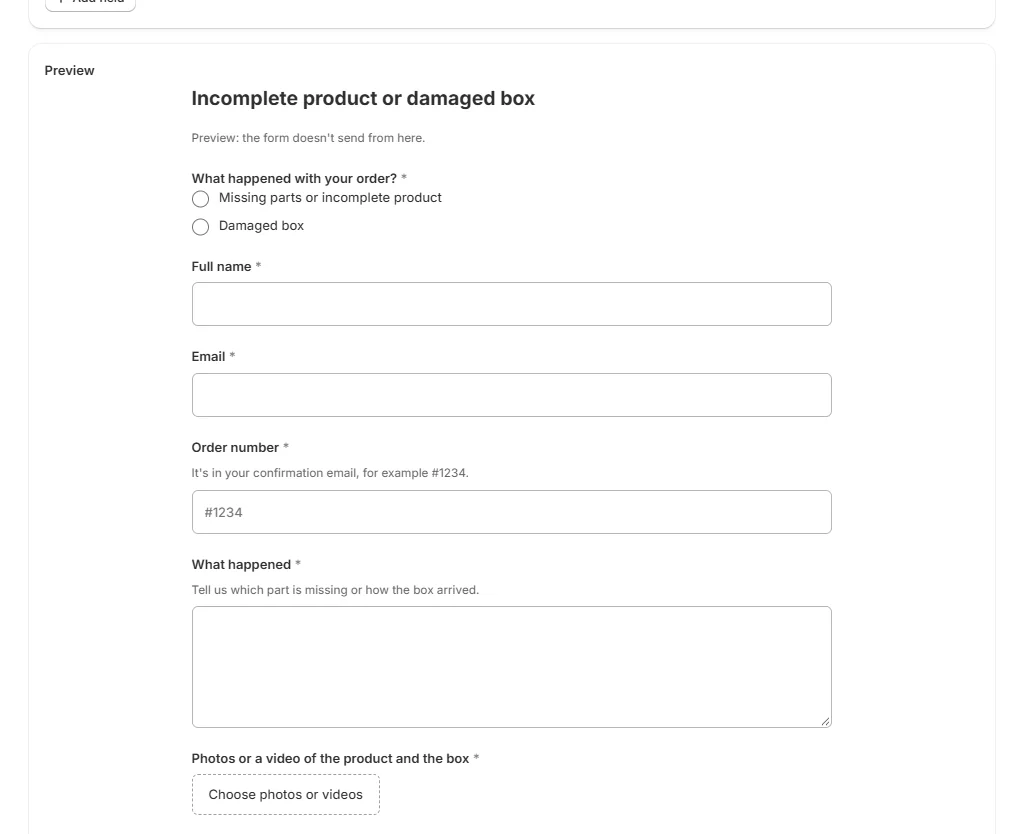
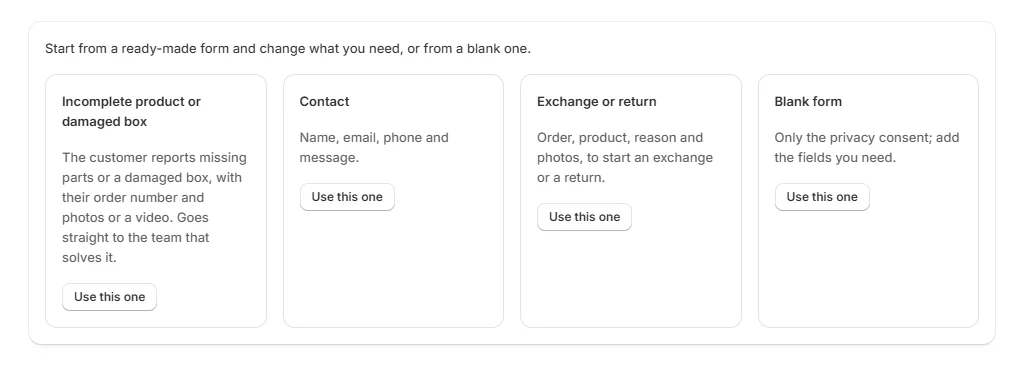
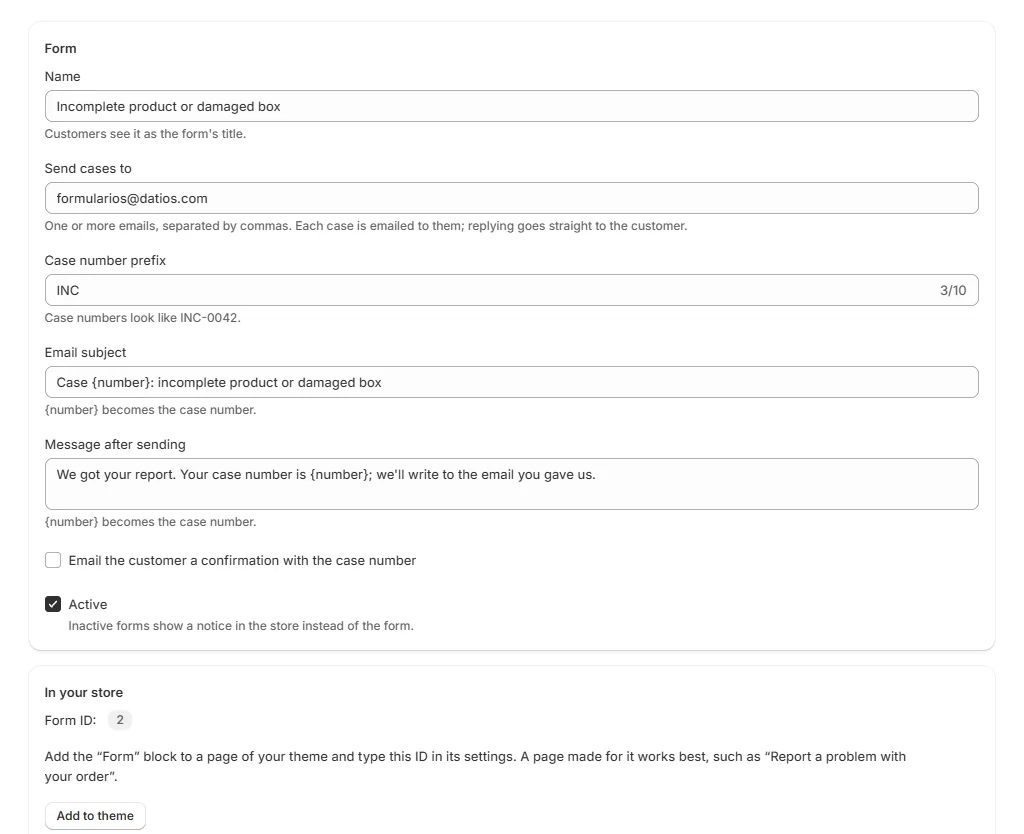
Start from a template or a blank form, choose who gets the cases and check it in the live preview.
Add it to your store
Place the form on any page of your theme with a theme block, from the theme editor.
Receive cases
Each submission is a numbered case, like INC-0042, emailed to your team, with a confirmation for the customer.
What you can do
Ready-made templates
Incomplete product or damaged box, exchange or return, contact, or a blank form you build field by field.
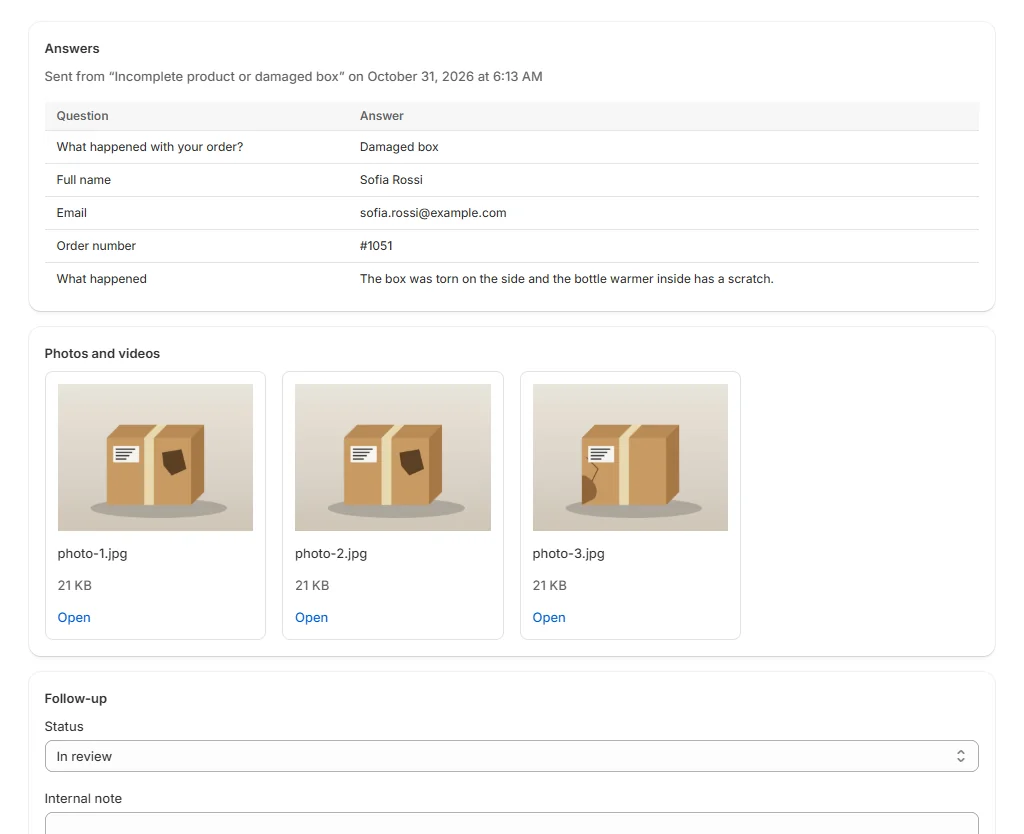
Photos and videos
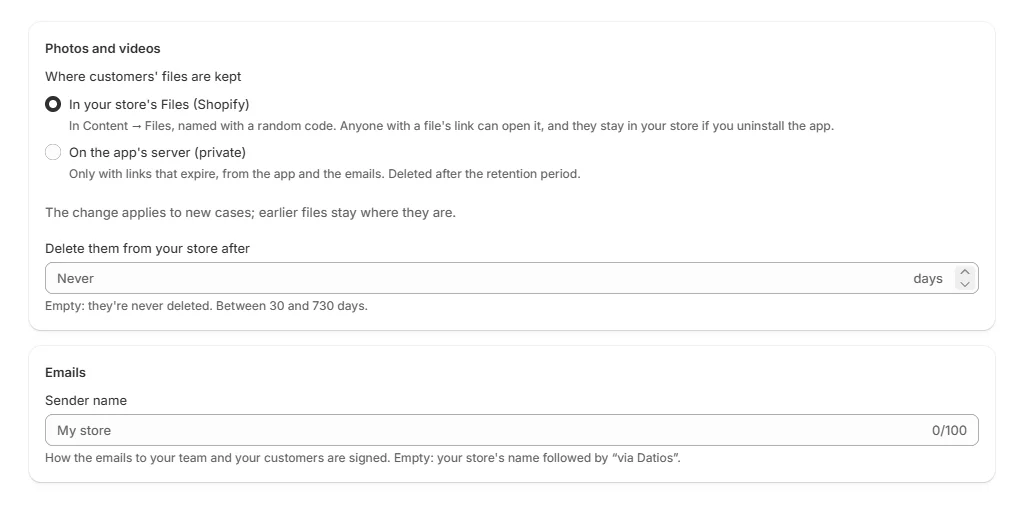
Customers attach photos and videos. They're kept in your store's Files, or privately on the app's server if you prefer.
Numbered cases by email
Each case is emailed to the people you choose, with links to its files, and the customer gets a confirmation.
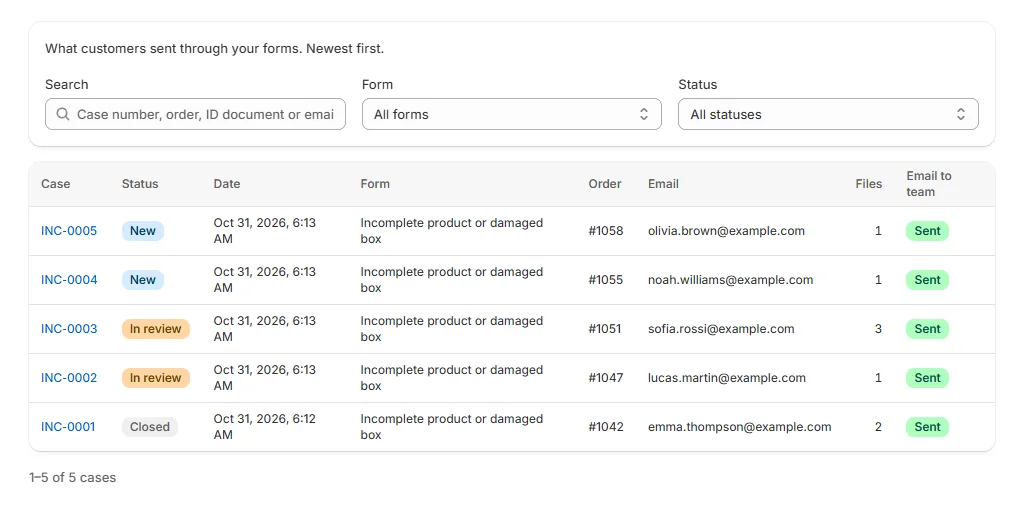
Case inbox
Follow up every case with a status (new, in review, closed), internal notes and search, and export them to CSV.
ID checks for Peru
The ID field checks Peruvian DNI, CE and RUC numbers, and also takes passports.
Live preview
See the form as your customers will while you edit it, before it goes live.
Fields you can add
Combine them in any order, each with its own label and help text:
- Short and long text
- Phone
- Number
- Order number
- ID document
- Dropdown
- Single choice
- Checkboxes
- Photos and videos
- Privacy consent
How it looks
Pricing
Paid plans include a 7-day free trial and are billed on your Shopify invoice.
Free
$0 USD
- 1 active form
- 50 cases a month
- Photos up to 10 MB
Basic
$6.99 USD / month
or $69.90 a year
- 5 active forms
- 500 cases a month
- Photos and videos
Pro
$14.99 USD / month
or $149.90 a year
- Unlimited forms and cases
- Photos and videos
- Choose how long files stay on the app's server
Frequently asked questions
Where are my customers' photos and videos kept?
In your store's Files on Shopify, by default. You can choose instead to keep them privately on the app's server, where they open only through links that expire.
Who receives the cases?
The email addresses you set on each form. Each form can go to a different team, and the customer gets a confirmation with the case number.
Does it work with my theme?
The form is added with a theme block, so it works with themes that support app blocks, from the theme editor.
Does the app read my customers or orders?
No. It only keeps what customers send through your forms. The order number is the one the customer types.
What happens if I go over my plan's cases in a month?
Cases are counted for all forms together, from the 1st of each month. When you reach the limit, your store shows the forms as not available until the 1st, unless you move up to a larger plan.
Start with a free form
The Free plan includes 1 active form and 50 cases a month, with photos.
Coming soon to the Shopify App Store